
图书介绍
MCSD:Windows Architecture I学习指南 英文原版pdf电子书版本下载
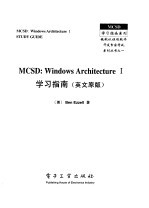
- (美)(B.伊泽尔)Ben Ezzell著 著
- 出版社: 北京:电子工业出版社
- ISBN:7505346431
- 出版时间:1998
- 标注页数:538页
- 文件大小:29MB
- 文件页数:561页
- 主题词:
PDF下载
下载说明
MCSD:Windows Architecture I学习指南 英文原版PDF格式电子书版下载
下载的文件为RAR压缩包。需要使用解压软件进行解压得到PDF格式图书。建议使用BT下载工具Free Download Manager进行下载,简称FDM(免费,没有广告,支持多平台)。本站资源全部打包为BT种子。所以需要使用专业的BT下载软件进行下载。如 BitComet qBittorrent uTorrent等BT下载工具。迅雷目前由于本站不是热门资源。不推荐使用!后期资源热门了。安装了迅雷也可以迅雷进行下载!
(文件页数 要大于 标注页数,上中下等多册电子书除外)
注意:本站所有压缩包均有解压码: 点击下载压缩包解压工具
图书目录
Table of Contents 1
Introduction 1
Chapter 1 Operating System Awareness 1
The Windows Registry 2
Registry Structure 4
Storing Application-Specific Information 8
Windows Open Services Architecture 11
Common Application Services 11
Network Communication Services 12
Vertical Market Extensions 13
Dynamic Link Libraries 13
Replacing System DLLs 14
Advantages of DLLs 15
Summary 15
Review Questions 16
Chapter 2 Architectural Differences between Windows 95/98 and Windows NT 21
Multitasking 22
Understanding the Differences 22
Protected Memory 23
File System Seeurity 24
Multiple CPU Support 24
Drivers and Peripheral Support 24
Selecting an Operating System 25
Comparing Operating Systems 27
Summary 32
Review Questions 32
Chapter 3 Choosing Development Tools 37
Microsoft BackOffice Integrated Server Suite 38
Information Technology Infrastructures 38
The Microsoft BackOffice Strategy 40
BackOffice Standards 43
Integration within BackOffice 45
BackOffice Components 49
Microsoft Office 58
Microsoft Word 59
Microsoft Excel 60
Microsoft Outlook 68
Microsoft PowerPoint 73
Microsoft Publisher 74
Microsoft FrontPage 76
Microsoft Project 78
Microsoft Team Manager 80
Microsoft Visual Studio 82
Professional Edition 82
Enterprise Edition 84
Summary 86
Review Questions 86
Chapter 4 Application Development Languages 95
Visual FoxPro 97
Visual Basic 99
ActiveX Controls 99
Performance Improvements 99
Visual Basic and Messaging 101
VB UserControI Module 101
Visual C++ 102
Visual J++ 103
Just-In-Time Compiler and Byte Codes 105
Visual J++ and COM 105
Visual InterDev 105
SQL Server, Developer Edition 106
Visual SoureeSafe 106
Transaction Server, Developer Edition 107
Visual Database Tools 107
Microsoft Repository 108
Microsoft Developer Network Library 108
Summary 108
Review Questions 109
Chapter 5 Solutions Framework as a Development Methodology 115
Selecting Practices Appropriate to Needs 117
Peer-to-Peer Teamwork 118
Team Model 118
Who's in Charge Here? 120
Process Model 120
Characteristics of the Process Model 121
Envisioning 122
Planning 122
Developing 122
Development/Application Model 123
Stabilization 123
Service Categories 125
Solutions Design Model 125
Aligning the Solution with the Business 126
Enterprise Architecture Model 128
Application Architecture 129
Business Architecture 129
Technology Architecture 130
Information Architeeture 130
Infrastructure Model 131
Total Cost of Ownership Model 132
Summary 135
Revlew Questions 136
Chapter 6 Source Control as a Developement Methodology 141
Source Control Operations 142
Typical Features 143
Team Development Processes/Advantages 146
Introduction to Visual SourceSafe 147
Installing Visual SourceSafe 148
Using Visual SourceSafe 149
Development Cycles 152
Accountability 153
Visual SourceSafe Operations 153
Integrating Visual SourceSafe 161
Source Control for Visual C++ 162
Source Control for Visual Basic 163
Source Control for Visual FoxPro 164
Microsoft InterDev and Team Development 168
Setting Access Permissions for Visual SourceSafe 170
To Add a User 170
Visual SourceSafe Limits 172
Summary 172
Review Questions 173
Chapter 7 The Component Object Model 177
Advantages in the Component Object Modet 179
The COM Component Software Architecture 180
The Component Software Problem 181
Fundamental Concepts 182
Basic Interfaces 182
Benefits of COM Interfaces 188
Virtual Function Tables 191
Component Object Interfaces 192
The IUnknown Interface 193
The Component Object Library 194
Component Object Servers 195
Summary 198
Review Questions 199
Chapter 8 Object Linking and Embedding 205
OLE Structured Storage 208
Compound Documents 208
OLE Embedding and Linking 211
OLE Drag and Drop 213
Using Active Documents 215
Creating an Active Document Server 217
Deactivating the Document View 221
Multiple Document Containers 221
Summary 223
Review Questions 223
Chapter 9 ActiveX(OLE Controls )as COM Implementations 229
The Basics of ActiveX Controls 231
ActiveX Controls 233
ActiveX Elements 234
ActiveX Automation 239
Local Automation 240
Using Parameters in Automation 241
Using Remote Automation 243
Uniform Data Transfer 246
When to Implement the IData Object Interface 247
When to Use the IDataObject Interface 247
Access to Structured Storage 248
Why Use Structured Storage? 249
Summary 250
Review Questions 251
Chapter 10 Database Access Technologies 257
Problems in Database Connectivity 258
Solutions to Database Connectivity 259
File-Server Databases 261
Database Structure 261
Client/Server(Relational)Databases 262
Microsoft JET and the Data Access Objects 264
Data Access Objects 264
Using Recordsets in DAO 266
Open Database Connectivity (ODBC) 269
Where ODBC Fits 270
Interoperability 272
ODBC and ISAM Performance 273
Remote Data Objects 275
RDO Support for Client /Server Design Goals 276
Comparing RDO and Microsoft JET/DAO 278
OLE DB and ADO 280
SQL-Distributed Management Objects 281
Database Replication 282
Where Does Replication Fit? 283
Replication Strategies 285
Summary 289
Review Questions 290
Chapter 11 Database Access Using OLE DB and ADO 295
OLE DB 296
Problems with Data Storage 296
The OLE DB Solution 297
OLE DB Component Architeeture 298
ODBC and OLE DB Compared 299
When to Use Each Model 301
Active Data Objects(ADO) 302
Summary 306
Review Questions 306
Chapter 12 Threads,processes,and Scheduling 309
About Processes and Threads 310
Multitasking 311
Scheduling 311
Scheduling Priorities 312
Context Switches 315
Priority Boosts 316
Priority Inversion 317
Multiple Processors(NT Only) 317
Multiple Threads 318
Creating Threads 318
Thread Handles and Identifiers 320
Suspending Thread Executioon 321
Synchronizing Threads 321
Multiple Threads and GDI Objects 322
Thread Local Storage 323
Creating Windows in Threads 323
Terminating a Thread 324
Thread Times(NT Only) 325
Child Processes 325
Creating Processes 325
Setting Window Properties with STARTUPINFO 326
Process Handles and Identifiers 326
Inheritance 327
Obtaining Additional Process Information 327
Environment Variables 329
Terminating a Process 329
Process Times(NT Only) 331
Process Working Set 331
Fibers 332
Differences between Fibers and Threads 332
Scheduling Fibers 333
Summary 333
Review Questions 334
Chapter 13 Inter-Process Communications 341
DDE(Dynamic Data Exchange) 343
NetDDE(Network Dynamic Data Exchange) 344
Windows Sockets 344
Named Pipes 346
Memory-Mapped Files 347
Inpersonation 347
Mailslots 347
NetBIOS 348
RPC(Remote Procedure Calls) 348
Summary 349
Review Questions 349
Chapter 14 Internet and Intranet Protocols 353
Introduction to the Internet 355
Internet Standards and Protocols 356
Transmission Control Protocol/Internet Protocol(TCP/IP) 357
The Link Layer 358
The Network Layer 358
The Transport Layer 361
The Application Layer 362
FTP 364
Finding Your Way Around 372
Web Browsers 375
HTML 379
HTML and URLs 379
URLs 383
Web-Page Design Utilities 386
Summary 387
Review Questions 388
Chapter 15 Internet and Intranet Design Content 393
The Nature of Internet and Intranet Connections 395
Designing Web-Page Content 398
Internet Graphics Formats 399
Web Browsers and Optimizations 401
Configuring Web-Page Refresh Options 402
Speed Browsing on the Web 402
Internet Support Services 403
Summary 404
Review Questions 405
Chapter 16 Internet and Intranet Database Connectivity 409
Internet Data Connector(IDC) 410
Active Server Pages(ASP) 413
Microsoft FrontPage 414
Scripts in FrontPage 414
Forms and Form Fieids 415
Customizing Links 416
Summary 418
Review Questions 418
Chapter 17 ActiveX Technologies for Web-Based Applications 421
ActiveX Documents in Internet Applications 422
Deploying ActiveX Components 423
The OBJECT Tag Structure 424
CAB(Cabinet)Files 427
Internet Component Download 428
Digital Signatures 429
Component Safety 430
Summary 432
Review Questions 432
Appendix A Review Question Ansewers 437
Appendix B Glossary 515