
图书介绍
计算机应用基础 双语版pdf电子书版本下载
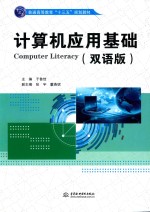
- 于鲁佳主编;张宇,董燕妮副主编 著
- 出版社: 北京:中国水利水电出版社
- ISBN:9787517046714
- 出版时间:2016
- 标注页数:195页
- 文件大小:33MB
- 文件页数:202页
- 主题词:电子计算机-高等学校-教材
PDF下载
下载说明
计算机应用基础 双语版PDF格式电子书版下载
下载的文件为RAR压缩包。需要使用解压软件进行解压得到PDF格式图书。建议使用BT下载工具Free Download Manager进行下载,简称FDM(免费,没有广告,支持多平台)。本站资源全部打包为BT种子。所以需要使用专业的BT下载软件进行下载。如 BitComet qBittorrent uTorrent等BT下载工具。迅雷目前由于本站不是热门资源。不推荐使用!后期资源热门了。安装了迅雷也可以迅雷进行下载!
(文件页数 要大于 标注页数,上中下等多册电子书除外)
注意:本站所有压缩包均有解压码: 点击下载压缩包解压工具
图书目录
Chapter 1 Fundamental of Computer计算机历史 1
1.1 An Introduction of computer 1
1.1.1 Computer's History 1
1.1.2 An Introduction of compute 1
1.1.3 Computers' classified 3
1.2 Numbering System 9
1.2.1 An overview of the Numbering System 9
1.2.2 Binary Code 9
1.2.3 Other Numbering System 9
1.2.4 Conversion between Different Numbering Systems 10
1.3 Computer System 12
1.3.1 Hardware 12
1.3.2 Software 18
1.4 Reference 20
1.5 English-Chinese Key Terms 20
Chapter 2 Operating System 操作系统 21
2.1 An Introduction of Operating System 21
2.1.1 What is an Operating System 21
2.1.2 Operating System Classification 21
2.1.3 Management of Files 27
2.1.4 Work with Control Panel 34
2.2 Accessories 40
Chapter 3 Microsoft Word 2010文字处理软件——Word 2010 45
3.1 An introduction of MS Word 2010 45
3.1.1 Word 2010Components 45
3.1.2 Word 2010 Layouts 47
3.2 Creating a document 48
3.2.1 Creating a new document 49
3.2.2 Using Template 51
3.2.3 Saving a document 52
3.2.4 Closing a document 53
3.3 Formatting a document 54
3.3.1 Editing the text 55
3.3.2 Document Setting 60
3.3.3 Pictures and Text 68
3.3.4 Table 72
3.4 Finalizing a Document 79
3.4.1 Page Design 79
3.4.2 Preview and Print 84
3.4.3 PDFConversion 84
Chapter 4 Microsoft Excel 2010电子表格Excel 2010 86
4.1 An introduction of MS Excel 2010 86
4.1.1 Excel 2010 Components 86
4.1.2 Start an Excel 88
4.2 Creating a Worksheet 92
4.2.1 Creating a new Worksheet 92
4.2.2 Fill in Data 94
4.2.3 Closing a Worksheet 100
4.3 Formulas and Functions 100
4.3.1 Formulas 102
4.3.2 Functions 104
4.4 Formatting a Worksheet 111
4.4.1 Editing the cells 112
4.4.2 Borders and Shadings 115
4.5 Finalizing a Worksheet 117
4.5.1 Sorting data 117
4.5.2 Filtering data 119
4.5.3 Headers and Footers 120
4.5.4 Preview and Print 122
4.6 Creating a chart 123
4.6.1 Creating a new chart 124
4.6.2 Modifying a chart 125
4.6.3 Formatting and editing a chart 125
Chapter 5 Microsoft PowerPoint 2010电子幻灯片的制作——PowerPoint2010 127
5.1 An overview of PowerPoint 2010 127
5.1.1 PowerPoint 2010 Components 127
5.1.2 Slides views 128
5.2 Creating and Formatting Slides 136
5.2.1 Creating new Slide 136
5.2.2 Contents input and edit 138
5.2.3 Choosing Layout 140
5.2.4 Choosing Themes 141
5.3 Formatting Slides 142
5.3.1 Text 142
5.3.2 Pictures 144
5.3.3 Table 146
5.4 Showing Effects 150
5.4.1 Animations 150
5.4.2 Hyperlink 152
5.4.3 Music 153
5.5 Presenting Slides 155
5.5.1 Slide show 155
5.5.2 Context Help 156
Chapter 6 Online Connection网络技术 157
6.1 Brief introduction of Network 157
6.1.1 Network Concept 157
6.1.2 History of Network 158
6.1.3 Network Classification 160
6.1.4 Network Protocol 165
6.2 Local Area Network (LAN) 167
6.2.1 Structure of LAN 168
6.2.2 LAN Components 172
6.3 Internet acknowledges 174
6.3.1 Introduction of the Internet 174
6.3.2 Client/Server format 175
6.3.3 TCP/IP Protocol 176
6.3.4 IP address 176
6.4 Internet Application 179
6.4.1 World Wide Web 179
6.4.2 E-mail 180
6.4.3 File download 185
6.4.4 Search on Internet 186
6.5 Network Security 188
6.5.1 Security Attack 189
6.5.2 Internet Virus 190
6.5.3 Anti-Virus Software 191
6.6 New in Internet 192
6.6.1 Cloud 192
6.6.2 Big Data 194